Ceci est une ancienne révision du document !
Graphical sessions
We provide an interactive node (mesosahred.univ-fcomte.fr) for graphical sessions like:
- File editing
- Running matlab/comsol (we recommand batch mode using SGE)
- Results post-processing
- File Transfer
- …
- This node is shared between users and is not managed by a resources manager (GridEngine).
- This node is managed by X2Go software.
- This node have 32 cores Intel Nehelm (2.2GHz) and 64Go of memory.
X2Go
X2Go enables users to access a graphical desktop over low or high bandwidth connections. It provides a remote desktop solution tunneled over SSH supporting file and printer sharing.
We recommend that users install the latest version of X2Go by downloading it from https://wiki.x2go.org/
Connecting to mesoshared
- Start the x2goclient software and click the New Session button as shown:

- Specify mesoshared.univ-fcomte.fr in the host field and choose GNOME as Desktop Environment in Session type:
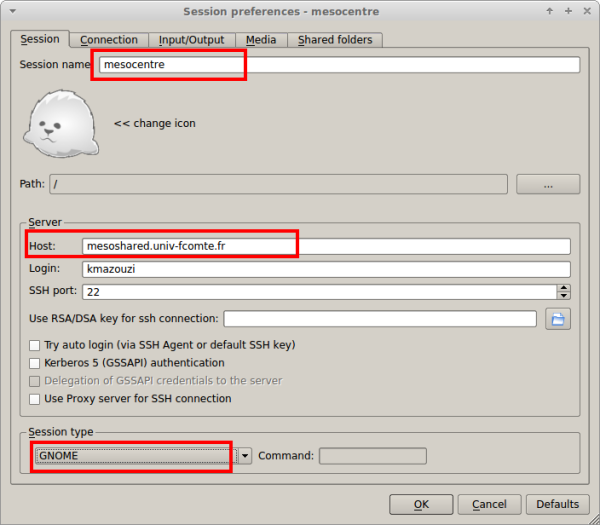
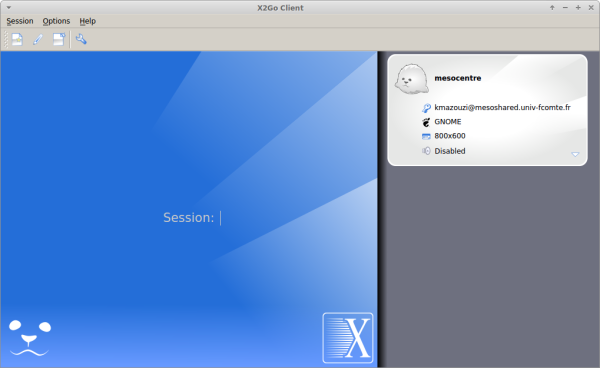
- Click the connection to start it.
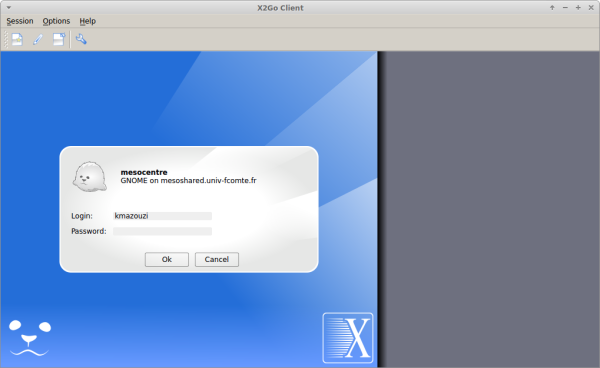
- Enter your username and password.
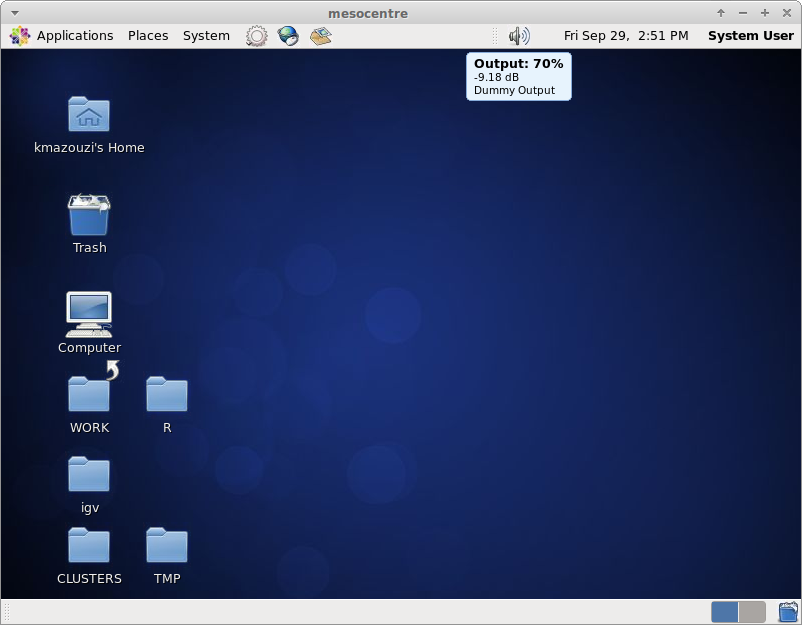
- Enjoy the remote desktop connectivity.


X2GO Options
For better performances we encourage to disable sound support and client side printing : go to
session preferences / media panel and disable those options.
Remote file sharing is disabled for now.